SchoolICT Tool HUB: Free Offline Web Tools & Utilities
A comprehensive, privacy-first collection of 100% offline utilities. From developer tools and digital electronics to image editing and AI tools—designed for students, teachers, and professionals.
LATEST TECHNICAL GUIDES 58

How to Convert CSV to SQL: Types, Dialects & Safe INSERT Statementshow-to-convert-csv-to-sql
📖 Read More
How PDF Files Work Inside – Text, Pages and Why Redaction Is Hard
📖 Read More
How to Spot AI Written Content — And Why Detector Tools Keep Getting It Wrong
📖 Read More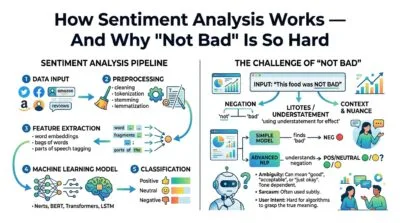
How Sentiment Analysis Works — And Why “Not Bad” Is So Hard
📖 Read More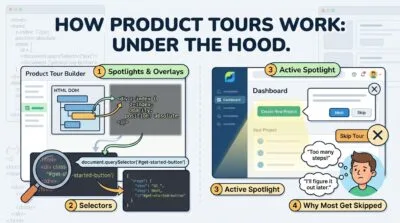
How Product Tours Work Under the Hood
📖 Read More100% Offline Processing
Every tool runs entirely in your browser tab. Paste your JSON, upload your image, or test a digital logic circuit — the result appears instantly. Nothing is sent to any server, keeping student assignments and professional data perfectly safe.
No Account Required
Open any tool and start working. No email address, no password, no trial period. SchoolICT Tool HUB has zero registration walls — empowering seamless learning and development from the very first click.
69 Lifelong Utility Tools
From Boolean logic solvers for ICT students to advanced code analyzers and AI assistants for professional developers. These tools bridge the gap between academic theory and real-world application.
How to Use Any SchoolICT Tool HUB Utility
Pick a Tool
Search by name, ICT category, or tool number in the search bar. Click any tool card to open your workspace.
Load Sample
Hit the 💡 Load Sample button to instantly see how the tool works using real educational or development data.
Paste Your Data
Clear the sample and input your own code, text, or logic equation. Results compute immediately without waiting for page reloads.
Copy or Export
Use the Copy, Download, or Export button to save your final result for your school project or development build.
Last updated: July 2026
🔴 What Is SchoolICT Tool HUB and Who Is It For?
The SchoolICT Tool HUB is the practical, hands-on companion to our main educational platform. It is a collection of free, high-performance web utilities built for ICT students, teachers, developers, and digital creators. While our main site teaches you the theory behind web development, digital electronics, and data structures, the Tool HUB provides the actual workspace to apply that knowledge. From a simple Unix Epoch Time Converter to complex multi-tab coding studios, these tools are built for lifelong use.
Engineered by Ruwan Suraweera, an ICT educator, the goal was straightforward: provide students and professionals with enterprise-grade utilities that are free, incredibly fast, and strictly private. Every tool loads in under two seconds and works entirely without an internet connection once the page is open, making it ideal for school labs and remote work environments.
🟡 How Browser-Based Tools Work Without a Server
Most online tools send your data to a remote server, process it there, and send results back. This creates privacy risks for sensitive code or student assignments, adds delay, and breaks completely when your internet drops. Browser-based tools skip the round trip entirely. When you paste a token into the JWT Decoder, the decoding happens inside your browser's JavaScript engine — the data never leaves your machine.
This works because modern browsers ship with powerful computational engines. Chrome's V8, Firefox's SpiderMonkey, and Safari's JavaScriptCore can all run complex algorithms at near-native speed. According to the MDN Web Workers API documentation, browsers can even offload heavy tasks to background threads, which is how our video and image processing tools handle large files without freezing your browser tab.
🟢 What Data Stays Private
When you use any tool on the SchoolICT Tool HUB, your input is loaded strictly into your browser's working memory. There is no server-side logging, no analytics attached to individual sessions, and no file storage. When you close the tab, the browser discards that memory completely.
- 🔵 API keys and credentials tested in the JWT Decoder never touch a server.
- 🟠 Images processed in the Advanced Image Studio are handled by the local Canvas API.
- 🟣 Video files trimmed or compressed in the Video Editor Studio never leave your device.
- 🔵 Complex Boolean logic expressions are minimized locally using pure JavaScript.
🟡 A Guide to the 18 Tool Categories
The SchoolICT Tool HUB organizes its 69 utilities into 18 categories designed to support both academic learning and professional workflows.
🟢 Developer and Web Development Tools
Essential for computer science students and professional coders alike. The PageSpeed Code Analyzer lets you paste raw HTML and immediately see which elements block rendering or lack accessibility tags — without uploading a URL to an external service. The JWT Decoder safely inspects tokens locally, and our hashing utilities allow you to practice cybersecurity concepts securely.
- 🔵 PageSpeed Code Analyzer — paste HTML, learn about CLS and LCP fixes instantly
- 🟠 JWT Decoder and Inspector — decode payloads and verify expiry offline
- 🟣 HMPL Render Studio — test modern templates with a built-in mock server
- 🔵 Secure Hash Generator — generate and verify MD5, SHA-256 hashes safely offline
🟢 Digital Electronics and Logic Tools
Directly aligned with advanced ICT syllabuses. The 7400 Series IC Finder provides datasheets and pinout diagrams for standard logic chips. The Boolean Logic Simplifier walks students through Quine-McCluskey minimization step by step. The Universal Logic Gate Converter translates expressions into NAND-only or NOR-only logic, generating synthesizable code instantly.
🟢 AI-Assisted Tools
The AI category connects directly from your browser to providers like Gemini, Groq, or Claude using your own API keys. Your data bypasses SchoolICT servers entirely. From analyzing sentiment in datasets to summarizing lengthy academic texts, these tools provide hands-on experience with modern artificial intelligence. Browse the full tool categories guide to explore everything available.
Frequently Asked Questions
Are these tools genuinely free for students and developers?
Yes. Every tool is permanently free with no usage limits, no subscription tiers, and no features hidden behind a paywall. The platform is supported purely by display advertising.
Do I need to create an account to use the tools?
No account is needed for any tool. Open the page and start working immediately. The Favourites feature simply pins tools to a quick-access list stored in your browser's local storage.
Can I use these tools without an internet connection?
Yes. Once a tool page has loaded, all the processing logic is already in your browser. You can disconnect from Wi-Fi and the tool will continue working flawlessly.
Is my school work or code safe when I use these tools?
Your data never leaves your browser. There is no server upload, no logging of input data, and no tracking. When you close the tab, your input is cleared from memory entirely.
How do I find a specific tool quickly?
Use the search bar on the homepage. Search by tool name, an ICT keyword like "Logic Gate" or "JSON", or by tool number — type "#65" to jump directly to the PageSpeed Code Analyzer.
Who built the SchoolICT Tool HUB and why?
Ruwan Suraweera, an ICT educator and developer, built this platform to bridge the gap between theoretical learning and practical application, giving students and professionals secure, offline utilities.
How often are new tools added?
New tools are added regularly based on syllabus requirements and modern development trends. Each tool includes a full technical guide to help users understand the theory behind it.
Can I request a specific tool for my ICT class or project?
Yes. Use the Contact Us page to submit a tool request. Tools requested by educators or multiple users are prioritized. Describe the problem and the specific inputs/outputs you need.
Who developed this platform?
The SchoolICT Tool HUB was built to bridge the gap between ICT theory and professional practice, giving students and developers free, private alternatives to cloud-based apps.