
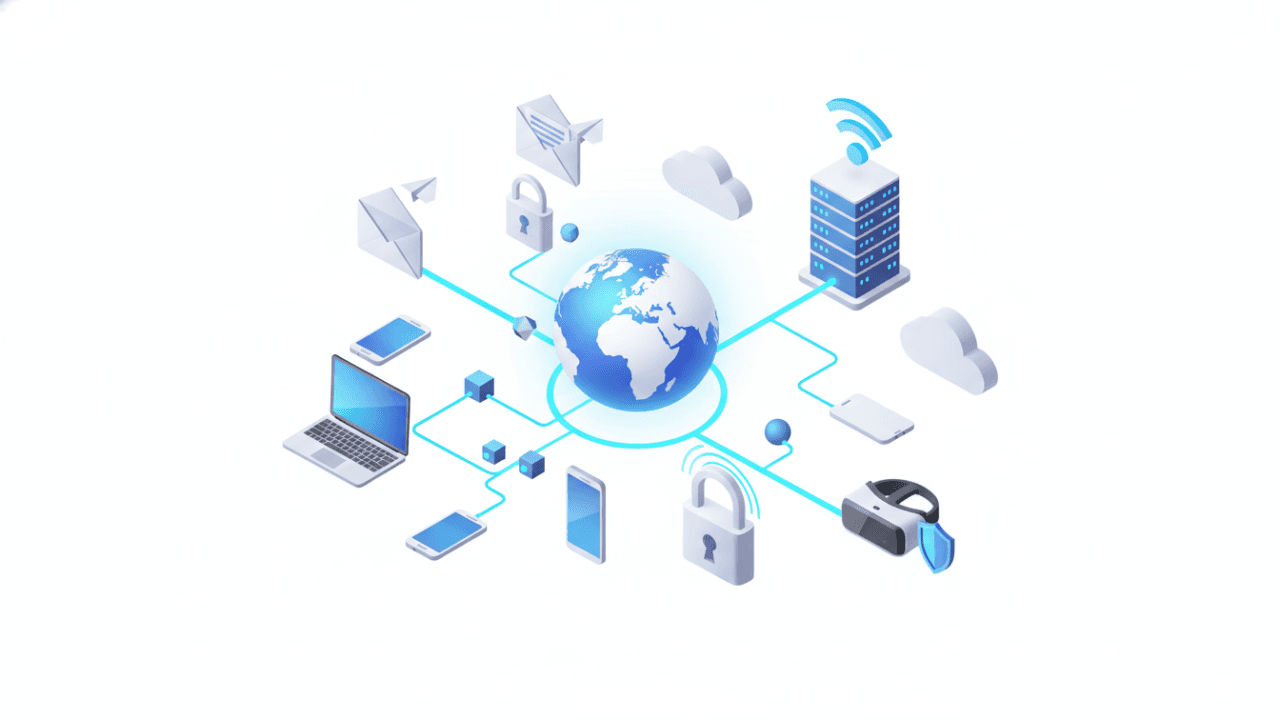
In today’s hyper-connected world, understanding the infrastructure of the internet is as essential as reading and writing. For GCE O/L ICT students, Lesson 12 breaks down the complexities of global networking, web services, and electronic communication.
By integrating the detailed theory from our LMS with the SchoolICT.net interactive simulator, you will gain a practical understanding of how data travels across the globe.
1. What is the Internet?
The Internet is a global network of interconnected computer networks that use the TCP/IP protocol suite to link billions of devices worldwide. It is often described as a “Network of Networks.”
Key Components:
- World Wide Web (WWW): A system of interlinked hypertext documents accessed via the Internet.
- Web Browser: Software used to access the web (e.g., Chrome, Firefox, Safari).
- Web Server: A computer that stores web pages and “serves” them to users upon request.
- ISP (Internet Service Provider): A company that provides you with access to the Internet (e.g., SLT, Dialog, Mobitel).
2. Understanding IP Addresses and DNS
Every device on the internet has a unique numerical label known as an IP Address (Internet Protocol Address).
- IPv4: The most common format, consisting of four numbers separated by dots (e.g.,
192.168.1.1). - DNS (Domain Name System): Since humans find numbers hard to remember, DNS acts as the “phonebook” of the internet, translating domain names (like
schoolict.net) into IP addresses.
3. Web Protocols
Protocols are sets of rules that govern how data is transmitted.
- HTTP: The standard protocol for transferring web pages.
- HTTPS: The secure version of HTTP, which encrypts data for safety (look for the padlock icon in your browser).
- FTP (File Transfer Protocol): Used specifically for uploading or downloading files.
4. Electronic Mail (Email)
Email is one of the oldest and most vital internet services. It allows for the exchange of digital messages between authors and recipients.
Email Protocols:
- SMTP (Simple Mail Transfer Protocol): Used for sending emails.
- POP3 (Post Office Protocol): Used for receiving emails (downloads them to your device and deletes them from the server).
- IMAP (Internet Message Access Protocol): Used for receiving emails (keeps them synced across multiple devices).
Structure of an Email Address:
An email address consists of three parts: username + @ + domain name (e.g., info@schoolict.net).
5. Search Engines vs. Web Browsers
A common confusion in O/L exams is the difference between these two:
- Web Browser: The application you open to see the web (e.g., Google Chrome).
- Search Engine: The website inside the browser used to find information (e.g., https://www.google.com/search?q=Google.com, Bing).
[Image comparing a web browser interface with a search engine results page]
6. Interactive Learning: Internet and Email Simulator
Learning about the web can feel theoretical until you see the “invisible” processes. The SchoolICT.net Internet Tool makes these concepts visible.
Features of the Tool:
- DNS Lookup Simulator: Enter a domain name and watch the tool simulate the translation into an IP address.
- Email Protocol Lab: Drag and drop “SMTP,” “POP3,” and “IMAP” into the correct parts of an email’s journey.
- URL Anatomy Tool: Break down a URL (e.g.,
https://www.schoolict.net/lessons) into its protocol, subdomain, domain, and path. - Search Operator Practice: Learn how to use symbols like
"",-, and*to get more accurate search engine results.
7. Internet Safety and Ethics
As a responsible user, you must understand:
- Phishing: Fake emails designed to steal your passwords.
- Malware: Harmful software like viruses and spyware.
- Netiquette: The code of polite behavior on the internet.
- Firewall: A security system that monitors and controls incoming and outgoing network traffic.
8. Exam Success Tips for O/L Students
- Protocol Functions: Expect questions asking which protocol is used for sending (SMTP) vs. receiving (POP3/IMAP) mail.
- URL Identification: Be ready to identify the different parts of a website address.
- Service Distinction: Know that the “Internet” is the infrastructure, while the “WWW” is just one service that runs on it.
- Network Hardware: Familiarize yourself with the roles of a Router, Modem, and Switch in connecting to the internet.
Conclusion: Navigating the Digital Age
Lesson 12 is your gateway to understanding the technology that powers your daily life. By mastering the concepts of networking and communication, you aren’t just passing an exam—you are becoming a digitally literate citizen.
Start your exploration today:




Leave a Reply